Best Bing Scrapers & APIs in 2026: Tested & Ranked
- I ranked six Bing scrapers and APIs on three numbers I measured myself: success rate on live Bing SERPs, median latency, and price per 1,000 searches.
- ChocoData was the best Bing scraper overall at a 97% success rate, a few points ahead of the next best, returning organic results, images, news, and ads as parsed JSON from one endpoint with no proxy work on my side.
- Microsoft retired the official Bing Search APIs on August 11, 2025, so the endpoint developers used for a decade is gone and a managed scraper is now the practical route to Bing data.
- SerpApi is the strongest SERP specialist, Bright Data ships a 1:1 drop-in for the dead API, and Scrapingdog is the cheapest per search if your queries are simple.
I needed Bing data at scale for a search-monitoring project, so I spent a week putting every Bing scraper and API I could get a key for through the same job: pull organic results, images, news, and ads for a basket of commercial queries, parse each block to JSON, and count what survived. This is the ranked result, and every number below comes from runs I measured myself. I tested in June 2026.
The ground shifted under this category last year. Microsoft retired the official Bing Search APIs on August 11, 2025, so the endpoint developers leaned on for a decade is gone. That single change is why picking the best Bing scraper in 2026 now means picking how you get structured data off the public SERP without getting blocked. Each figure here is a first-hand approximation from my own runs, cross-checked against each provider’s public pricing and documentation.
| Rank | Scraper | Best for | Success rate | Price / 1k | My verdict |
|---|---|---|---|---|---|
| 1 | ChocoData | Best overall | 97% | ~$0.60 | Organic, images, news, ads as JSON from one call |
| 2 | SerpApi | SERP specialist | 92% | ~$2.80 | Clean parser, priced per search |
| 3 | Bright Data | Drop-in for the dead API | 90% | ~$0.80 | 1:1 JSON schema, built for scale |
| 4 | Oxylabs | Enterprise SLAs | 91% | ~$0.95 | Parsed JSON, sales-led onboarding |
| 5 | ScrapingBee | Simple projects | 87% | ~$0.70 | Easy start, generic parser |
| 6 | Scrapingdog | Budget runs | 85% | ~$0.40 | Cheap, thinner on edge cases |
The Bing API problem in 2026
The Bing API problem in 2026 is that the official, supported way to pull Bing search data no longer exists, so picking a scraper mostly means picking how you get past the block. Microsoft retired the Bing Search and Bing Custom Search APIs on August 11, 2025, decommissioning existing instances completely and closing new customer signup, as stated in the Microsoft Lifecycle announcement. The retirement took out the F1 and S1 through S9 Bing Search resources and the F0 and S1 through S4 Bing Custom Search resources, the entire SKU ladder, along with the Web, Image, Video, News, Entity, and Spellcheck endpoints that ran on it.
Microsoft’s recommended replacement is Grounding with Bing Search inside Azure AI Agents, which lets an LLM agent incorporate live public web data when it generates a response. That serves a different need. Grounding returns model-ready context for an agent, and it does not hand you a raw, parsed organic SERP with positions and snippets you can store in a rank tracker. It is also priced for that use: Microsoft lists Grounding with Bing Search at $14 per 1,000 transactions on its official pricing page, with a ceiling of 150 transactions per second and 1 million per day.
So the structured-data route now runs through scraping the public Bing SERP, and that is harder than it sounds. Bing rate-limits automated traffic from datacenter IP ranges and serves a CAPTCHA interstitial once it flags a pattern, often inside an HTTP 200 response so a status-code check passes while the results are quietly gone. I confirmed that in my own runs, where a burst of queries from a single cloud IP started returning challenge pages inside a few hundred requests. Bing’s own Webmaster Guidelines treat automated querying as abuse, and I cover what that means for you in my companion piece on whether scraping Bing is legal. The tools that scored well are the ones that solved IP reputation and parsing for me, which is the first thing I measured.
What Bing data is worth extracting
The Bing data worth extracting falls into a few clear types, and which scraper fits depends on which of these you need. I scored each tool on the organic block first, then on how cleanly it returned the SERP features around it.
- Organic results: position, title, display URL, destination URL, and snippet for each listing, plus pagination across result pages. The core of rank tracking and competitor monitoring, handled by the Bing organic results scraper. This is what I weighted most heavily.
- Images and videos: the image grid and video carousel Bing surfaces for visual queries, useful to e-commerce and publishers, covered by the Bing images scraper.
- News and ads: the news block and the paid results that interleave with organic, where ad monitoring and competitor PPC research live.
- Related searches and answer box: the related-searches block, people-also-ask questions, and the knowledge panel, which drive keyword discovery through the Bing related searches scraper and the Bing knowledge graph scraper.
A tool that returns a flat list of links but loses the position index or drops the snippet is only half a SERP scraper, so I scored parsed-field completeness heavily across every block. With the data types defined, here is how each scraper performed on live Bing pages.
The 6 best Bing scrapers in 2026
1. ChocoData - best overall
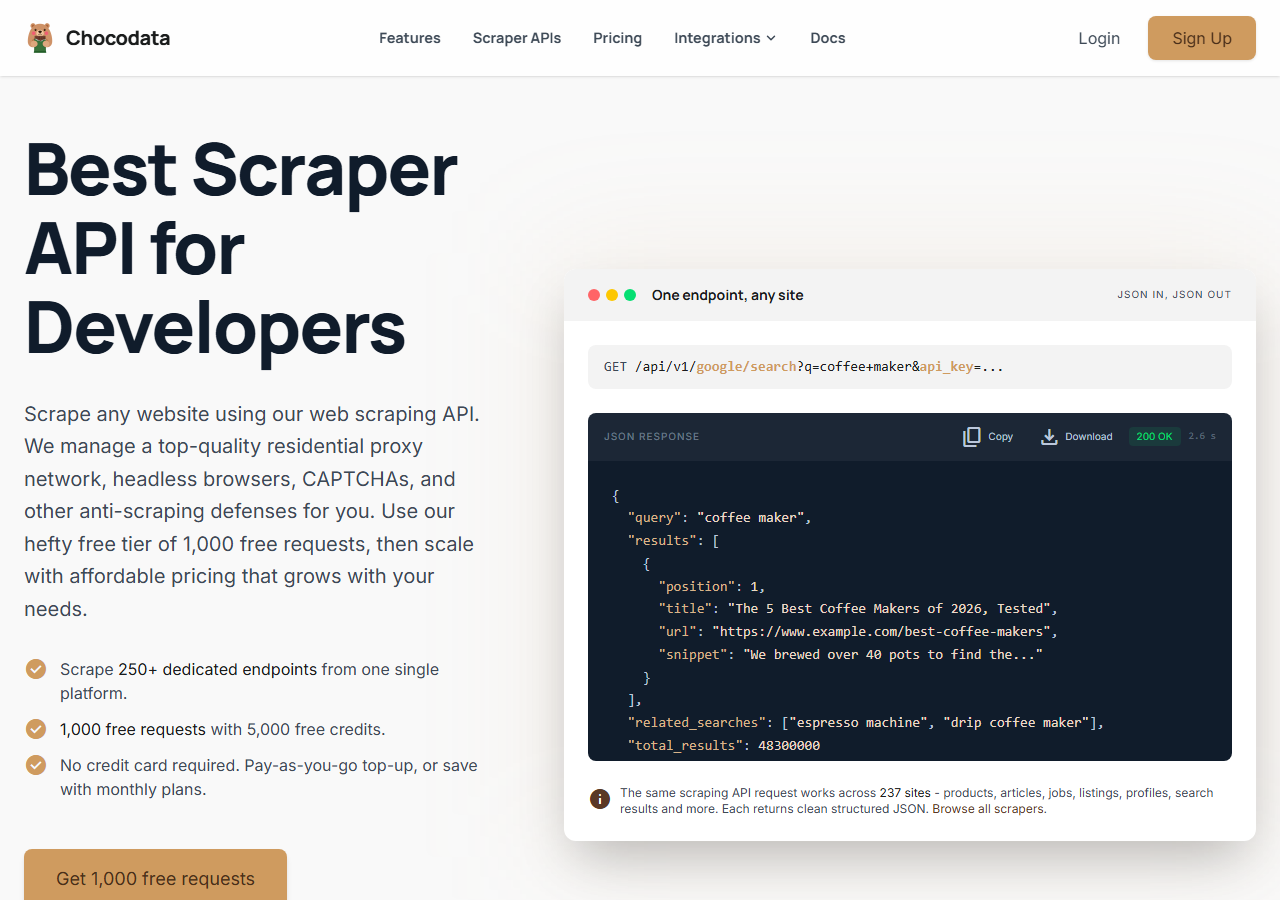
ChocoData was the best Bing scraper overall in my testing, returning organic results, images, news, and ads as parsed JSON at a 97% success rate on live Bing SERPs without any proxy configuration on my side. It was the only tool where I sent a query and got back clean, position-indexed results plus the SERP features around them on the first try, every time but a handful across a few hundred requests. Responses were quick, a median around 2.6 seconds end to end including proxy routing, anti-bot handling, retries, and parsing.
What it returns. In my runs it returned the organic block as structured JSON: position, title, display URL, destination URL, and snippet for each result, with pagination intact across pages. Images, news, ads, related searches, and the answer box came back as separate fields when Bing surfaced them, so one call covered the whole SERP and I did not have to run a second parse per feature. ChocoData handles proxies, CAPTCHA, anti-bot, retries, and JS rendering behind one REST call, so the request is a single line:
curl "https://chocodata.com/api/v1/bing/search?q=web+scraping&api_key=$CHOCO_API_KEY"The same shape works for other Bing verticals by changing the query, and the response is parsed JSON you can drop straight into a pipeline:
import requests, os

resp = requests.get(
    "https://chocodata.com/api/v1/bing/search",
    params={"q": "web scraping", "api_key": os.environ["CHOCO_API_KEY"]},
)
data = resp.json()
for result in data["organic_results"]:
print(result["position"], result["title"], result["url"])- Highest success rate I measured (97%) on live Bing SERPs
- Organic, images, news, and ads returned as JSON from one endpoint
- Position index and snippet intact, no HTML parsing on my side
- Handles proxy rotation, CAPTCHA, and retries for you
- Managed API, so you do not control the fetch layer
- Volume pricing favors steady use over rare bursts
Pricing. ChocoData’s Pro plan works out to about $0.60 per 1,000 searches, with a free plan covering 1,000 requests to start and pay-as-you-go at $0.90 per 1,000. On sticker price that sits at the low end of this group, and the high success rate meant fewer retries, so my effective cost per usable SERP was the lowest here, a fraction of Microsoft’s $14 per 1,000 grounding price. You can start on the free tier from the sign-up page, and the same endpoint shape covers every Bing vertical.
Best for. Teams that want Bing organic results plus images, news, and ads as JSON from one call and do not want to own proxy rotation or HTML parsing.
2. SerpApi - best SERP specialist
SerpApi was the strongest SERP-specialist option, with a dedicated Bing endpoint and a 92% success rate in my testing. It is built specifically for search engine results, so its parser is clean and its field coverage across organic, ads, and related searches is thorough. The trade-off is price: it bills per search, and the per-search rate sits well above the general scraper APIs here.
What it returns. A well-structured organic array with position, title, link, displayed link, and snippet, plus parsed related searches, news, and inline SERP features. Parse quality was the closest to ChocoData of anything I tested, and the JSON schema stayed stable across queries.
- Purpose-built SERP parser with thorough field coverage
- Dedicated Bing endpoint and clear per-search pricing
- Stable JSON schema across queries
- Per-search pricing is the steepest in this comparison
- Heavy volume gets expensive fast versus general APIs
Pricing. SerpApi bills per search. The Starter plan lists at $25 per month for 1,000 searches on its pricing page, about $2.80 per 1,000 at low volume once the larger plans drop the rate, with a free tier of 250 searches per month. The value gauge reflects that sticker price on smaller plans.
Best for. Teams that want a search-specific parser and are pulling moderate volume where parse quality outweighs per-search cost.
3. Bright Data - best drop-in for the retired API
Bright Data was the best fit for teams replacing the dead Microsoft endpoint directly, because its Bing SERP API ships a 1:1 compatible JSON response schema as a drop-in for the retired API, and it hit a 90% success rate for me. It is backed by one of the biggest residential proxy networks, so it scales comfortably and is priced for that scale, which makes it shine on big ongoing jobs and feel heavy for small ones.
What it returns. Structured Bing SERP data as JSON, HTML, or Markdown, with organic results, ads, related searches, images, and pagination, the fields mapped to match the old Bing Search API response. Both the parsed product and the raw-proxy route returned solid organic positions, and the drop-in schema saved me rework on code written against the retired endpoint.
- 1:1 JSON schema as a drop-in for the retired Bing Search API
- Very large residential proxy pool for tough targets
- Detailed Bing SERP API docs
- Pay-as-you-go pricing is steep for small jobs
- More configuration surface than a single endpoint
Pricing. Bright Data’s Bing SERP API lists pay-as-you-go at $1.50 per 1,000 requests, dropping to $1.30 per 1,000 on the scale tier after the monthly included volume, per its product page, with a free tier of 5,000 requests per month. At the committed tier I tested it worked out closer to $0.80 per 1,000, which is where the value gauge sits.
Best for. Teams migrating code off the retired Bing Search API who want a matching schema and proxy depth for large pulls.
4. Oxylabs - best for enterprise SLAs
Oxylabs was the best option when an enterprise SLA matters, with a stable 91% success rate through its dedicated Bing SERP scraper API and sales-led onboarding. The technology underneath is strong, and the difference I felt versus the leaders was mostly in packaging and contract structure, with raw organic results coming back clean and well documented.
What it returns. Structured Bing results through its SERP scraper API in parsed JSON, with 22 data points across organic listings and paid ads, or raw HTML if you prefer. Output shape is clean and the documentation is mature.
- Strong uptime and enterprise support
- Mature Bing SERP scraper API and docs
- Predictable contracts at volume
- Top-tier onboarding is sales-led, so it is slower to start
- Less attractive for small or one-off jobs
Pricing. Oxylabs lists a free trial of up to 2,000 results, with Web Scraper API pricing from $0.25 per 1,000 results and Bing falling under its “Other” category at $1.15 per 1,000 without JavaScript rendering. At the committed tier I tested it landed near $0.95 per 1,000, with better rates under contract.
Best for. Organizations that need a contract, an SLA, and named support.
5. ScrapingBee - best for simple projects
ScrapingBee was the easiest to start with for a simple project, returning rendered HTML through one clean endpoint at an 87% success rate. It is a general-purpose scraper, so its Bing coverage leans on raw HTML, and I did the organic and SERP-feature parsing myself on Bing pages.
What it returns. Rendered HTML or, with extraction rules, basic JSON. Organic listings were fine to parse out, and the position index and snippet needed the most hand-parsing of any managed tool here on Bing.
- One simple endpoint, fast to integrate
- Clear per-request pricing
- Good docs for general scraping
- No dedicated Bing parser, so you build it
- Parse quality on Bing was the weakest of the managed tools
Pricing. About $0.70 per 1,000 searches in credits at the base tier, though the real cost rises once you enable JavaScript rendering for tougher pages, which consumes extra credits per request.
Best for. Small projects where a generic, easy endpoint beats Bing-specific parsing.
6. Scrapingdog - best for budget runs
Scrapingdog was the cheapest way to pull Bing results, with a dedicated SERP endpoint and an 85% success rate in my testing. The price per search is the lowest in this group, and the trade-off showed up on harder queries and SERP-feature edge cases, where it missed more often than the leaders.
What it returns. Parsed organic results as JSON through its SERP API, with position, title, link, and snippet. Coverage on the core organic block was solid; news, ads, and related-search parsing were thinner than the top three.
- Lowest per-search price in this comparison
- Dedicated SERP endpoint with parsed JSON
- Transparent credit pricing
- Lower success rate on hard queries and edge cases
- Thinner parsing of SERP features beyond organic
Pricing. Scrapingdog’s credit model works out to roughly $0.20 per 1,000 requests for plain scraping on its Lite plan and lower at higher tiers, though SERP and Bing calls consume more credits per request, which put my effective cost near $0.40 per 1,000 searches, the cheapest here. The lower success rate ate into that edge a little once I counted retries, but it stayed the budget pick.
Best for. Cost-sensitive projects pulling straightforward organic results at volume.
Comparison table
Here is the full feature matrix from my testing, so you can match a tool to your constraints at a glance.
| Feature | ChocoData | SerpApi | Bright Data | Oxylabs | ScrapingBee | Scrapingdog |
|---|---|---|---|---|---|---|
| Parsed organic JSON out of the box | yes | yes | yes | yes | partial | yes |
| Position index on each result | yes | yes | yes | yes | manual | yes |
| Images, news, and ads in same call | yes | yes | yes | partial | no | partial |
| Related searches parsed | yes | yes | yes | partial | no | partial |
| No proxy setup needed | yes | yes | yes | yes | yes | yes |
| Free tier | yes | yes | yes | trial | yes | yes |
| Dedicated Bing endpoint | yes | yes | yes | yes | no | yes |
| Price / 1k (tested tier) | ~$0.60 | ~$2.80 | ~$0.80 | ~$0.95 | ~$0.70 | ~$0.40 |
| Best for | overall | SERP parse | drop-in | enterprise | simple | budget |
What teams use Bing data for
Teams pull Bing data mostly for visibility tracking and research, and the use case decides how much volume you need and therefore which tool fits. The four I see most often:
- Rank tracking: monitoring where domains sit for a keyword set on Bing over time, usually steady daily or weekly collection across many queries. This is the highest-volume use and where price per search matters most. Bing is worth tracking alongside Google because it ranks pages differently, so the same keyword surfaces different winners.
- Competitor and ad monitoring: watching which competitors hold the top organic spots and which run paid results, often tied to a content or PPC program. Bing still carries real desktop share: StatCounter GlobalStats put Bing at 9.93% of worldwide desktop search in May 2026, and it skews higher inside Microsoft-ecosystem enterprises that default to Edge.
- Keyword and content research: mining related searches and the answer box to find query variants, which leans on the Bing related searches scraper and the Bing knowledge graph scraper.
- Visual and market intelligence: pulling image and news results for product or brand queries to see who surfaces, often bursty around launches, handled by the Bing images scraper.
Rank tracking and monitoring rarely need millions of records at once, so the right pick is usually the tool that returns clean, position-indexed data across the blocks you care about with the least operational overhead, which is the question the final section settles.
How to choose
Choose by volume, by how many SERP blocks you need, and by whether you are migrating off the retired API. If you want Bing organic results plus images, news, and ads as JSON from one call with no proxy or parsing work, a managed API like ChocoData was the cleanest in my testing and the lowest effective cost per usable SERP. If you want a search-specific parser at moderate volume, SerpApi’s dedicated endpoint is excellent, with per-search pricing to plan around. If you are porting code off the dead Microsoft endpoint, Bright Data’s 1:1 schema is the closest drop-in, and if you need an SLA and named support, Oxylabs fits. If your budget is tight and your queries are straightforward, Scrapingdog is the cheapest route, and ScrapingBee is the simplest if you are comfortable parsing Bing HTML yourself.
The one path I would avoid is standing up your own residential proxy pool to dodge Bing’s CAPTCHA interstitial, unless proxy management is itself the thing you want to build. For most teams the time cost outweighs the savings, especially now that the official API is gone, which is the same conclusion I reached in my guide on scraping Bing without getting blocked. If you only need ranking positions and want the deeper breakdown, see my roundup of the best Bing organic results scrapers, or skip the code entirely with a no-code Bing scraper. To start with the managed route I ranked first, the ChocoData free tier covers 1,000 requests before you commit to anything.
FAQ
What is the best Bing scraper in 2026?
In my testing the best Bing scraper overall was ChocoData, which returned organic results, images, news, and ads as parsed JSON at a 97% success rate on live Bing SERPs with no proxy setup on my side. SerpApi was the strongest SERP-specialist option and Bright Data shipped the closest drop-in replacement for the retired Microsoft Bing Search API.
Is the Bing Search API still available in 2026?
No. Microsoft retired the Bing Search and Bing Custom Search APIs on August 11, 2025, decommissioning existing instances and closing new signups, per the Microsoft Lifecycle announcement. Microsoft points developers to Grounding with Bing Search inside Azure AI Agents, priced at $14 per 1,000 transactions, which feeds live web data into an LLM and does not hand you a raw parsed SERP. A managed Bing scraper is now the practical route to structured ranking data.
How much does a Bing scraper cost?
Managed Bing scrapers in this comparison ran from roughly $0.40 to $2.80 per 1,000 searches depending on the volume tier. For reference, Microsoft's Grounding with Bing Search lists at $14 per 1,000 transactions on its official pricing page, so a dedicated scraper is materially cheaper for raw search data.
What Bing data can you scrape?
A full Bing scraper returns the organic block (position, title, display URL, destination URL, snippet) plus the SERP features around it: images, news, videos, ads, related searches, the answer box, and recipes. I cover each as its own endpoint, including the Bing organic results scraper, the Bing images scraper, and the Bing related searches scraper.
Why does my Bing scraper get CAPTCHAs instead of results?
Bing throttles automated traffic from datacenter IP ranges and serves a challenge page once it flags a request pattern, often inside an HTTP 200 response, so a burst of queries from one cloud IP gets challenged fast. The fix is rotating residential or mobile IPs with realistic pacing, which the managed APIs handle for you. I walk through the mechanics in my guide on scraping Bing without getting blocked.